
THIS IS WHERE THE MAGIC HAPPENS.
Insightful tips, in-depth guides, and essential resources to help you streamline your business operations and enhance efficiency, so you can focus on what truly matters!
THIS IS WHERE THE MAGIC HAPPENS.
Insightful tips, in-depth guides, and essential resources to help you streamline your business operations and enhance efficiency, so you can focus on what truly matters!
Stay Connected and Simplify Your Business!
Sign up to be on our blog/newsletter list and get easy tips, tools, and strategies to help your business grow—delivered straight to your inbox.
Join today and start making business easier!
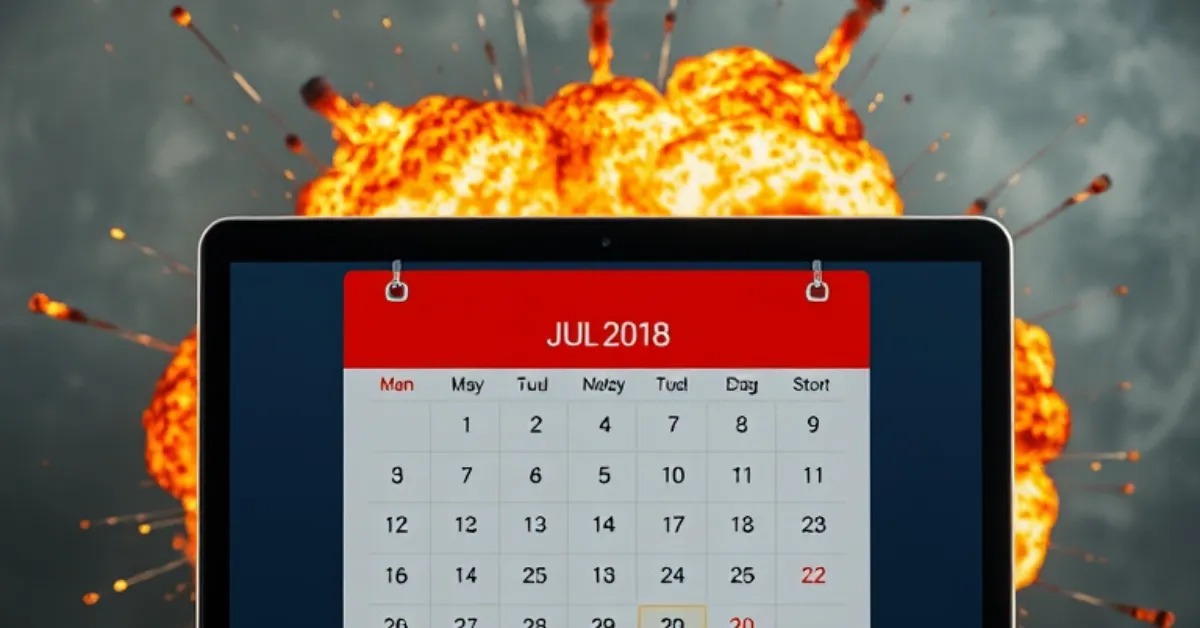
Automation Scandal #3: The Triple-Booked Disaster
The phone rang at 9:47 AM on a Monday.
"Hi, I'm here for my 10 o'clock appointment, but your door is locked?"
Andrea's stomach dropped. She was just getting started with a client who also had a confirmed 10 o'clock appointment.
She apologized to the client on her table, stepped out of the room and opened the door to find not one but two people waiting. Both had 10am appointments, both had confirmation emails, both were right on time and Andrea was freaking out.
Welcome back to The Scandal Series!
Today's disaster isn't one that failed quietly in the background. This one failed loudly, publicly, and in front of paying clients.
This is the story of how a calendar migration went catastrophically, embarrassingly, wrong.
Rewind: How A New Calendar System Got Us Here
Let me introduce you to Andrea, a massage therapist with a thriving practice. She'd been using an online scheduling system for years, but her old platform was clunky with limited features.
When she found a newer, sleeker option with better reviews, she decided to make the switch.
The migration seemed straightforward. She set up her services in the new platform, copied over her availability and embedded the new booking widget on her website.
Everything looked perfect and she checked a big business task off her list.
What she didn't do - and what seemed unnecessary at the time - was fully disable her old platform.
"I'll just let it expire naturally," she thought. "The subscription runs out in two months anyway."
That decision cost her three clients, roughly $1500 in immediate revenue, and a reputation hit that took months to recover from.
What Actually Broke In Her Small Business
Here's what Andrea didn't realize was happening:
Her old calendar platform was still active and still accepting bookings.
Her new calendar platform was also active and accepting bookings
Some clients still had the old booking link saved.
Neither system knew about the other and those clients didn’t realize anything had changed.
When someone booked through the old system, the new system had no idea and when someone booked through the new system, the old system had no idea. Her existing clients kept right on booking the way they always had with newer clients using the new link.
Double bookings became triple bookings. Buffer times that existed in one system didn't exist in the other. The systems were actively fighting each other, and her calendar was the casualty.
The Crisis Unfolds
That Monday morning, Andrea had three clients scheduled for 10 AM:
One booked through the old system with a reminder link from her previous appointment.
One booked through the new system on her website
One booked through her website - but with a link Andrea had forgotten about that was attached to the old system with an older availability schedule.
All three showed up. All three had valid confirmation emails.
Andrea kept the client already in the treatment room. She rescheduled one client for a later date and agreed to discount the service for the third client who was willing to sit and wait.
But the real nightmare was just beginning.
The Week That Followed
Once Andrea knew what to look for, she found booking conflicts everywhere.
She spent that evening going through both calendars, manually cross-referencing. She found fourteen conflicts in the next three weeks alone.
Tuesday morning, she started making calls..."I'm so sorry, but there's been a scheduling conflict..."
Fifteen phone calls, fifteen apologies and fifteen moments of explaining what happened without sounding incompetent.
She lost three clients entirely and several left reviews mentioning "scheduling issues" and "disorganization."
The irony? She'd switched platforms specifically to improve her client experience.
The Full Cost
Direct revenue: Approximately $1500 in cancelled appointments and lost clients.
Time cost: Over 20 hours spent fixing conflicts and making apologetic phone calls.
Opportunity cost: Couldn't accept new clients during the cleanup period.
Reputation cost: Reviews that will live on Google forever.
Mental cost: Constant anxiety about what else was wrong.
Trust cost: Existing clients now double-checking their appointments.
For a solo practitioner, reputation is everything and Andrea's had taken a very public hit.
Why This Happened
Andrea isn't careless or disorganized, she just made assumptions that seemed reasonable:
Assumed the new system would automatically take over
Assumed clients would naturally start using the new booking link
Assumed the old system would fade away
Assumed she'd notice if something went wrong
But platform migrations don't work like that and systems definitely don't politely defer to each other.
The danger of "set it and hope it works" is that it usually doesn't and it breaks differently than you expected.
The Fix: One Calendar, One Truth
What Andrea needed was one calendar that served as the single source of truth.
This is where she made the shift to Automation on a Mission and set up one integrated ecosystem that eliminated the competing-systems disaster.
One booking interface - no old links floating around creating conflicts - automatic buffer times that hold across all scenarios and real-time sync across all touchpoints.
But most importantly, no competing systems because there's only one system.
The implementation was simple but methodical:
Set up the new AOAM calendar completely
Test it thoroughly with dummy bookings
Import existing legitimate appointments
Update website to new booking widget
Completely shut down old platform (no “letting it expire”)
Monitor first week regularly
Your Own Calendar Audit: Do This Now
Don't wait for a three-clients-at-10-AM moment, take the time to do a quick calendar audit.
Ask yourself:
Do you have multiple booking systems currently active?
Can clients book you in more than one place?
Have you recently migrated platforms without fully shutting down the old one?
Do buffer times actually work?
Can you see ALL appointments in one unified view?
Would you know immediately if a double-booking occurred?
How To Prevent A Booking Disaster
Before any calendar changes:
Book test appointments yourself
Have friends test the booking process
Verify buffer times appear
FULLY disable old systems (not just ignore them)
Monitor closely:
Watch the first week after changes
Manually cross-reference appointments
Confirm clients received confirmations
Monthly maintenance:
Review upcoming bookings for conflicts
Test booking process from client perspective
Verify integrations still work
Six Months Later
I talked to Andrea recently and her calendar is flawless now - zero conflicts in half a year.
She rebuilt trust through consistent, perfect execution. She prioritized her client connection and communication and she made her brand reliable again.
The new system didn't just fix the problem - it made her more efficient - and she has capacity she didn't have before.
And most importantly: She can finally relax. She knows it's handled and she won’t have to manage a client pile up ever again.
Unlike the ghost email campaign that failed quietly, calendar disasters fail loudly, in front of clients and all over the internet.
And this was 100% preventable. So go check your calendar and make absolutely sure there's only one system accepting bookings.
Your clients—and your reputation—will thank you.
Ready to disaster-proof your calendar, systems and automation? Book a demo call with us and let’s get your business ducks in a well-managed row!

Menu




© Copyright 2026. All rights reserved.